
You're the bridge to court. We're the system behind you.
Whether the role lives with the chief, a data clerk, or a sergeant — whoever is acting court liaison for your department gets the hub. Every active subpoena, every officer, every conflict for your agency, on one screen.
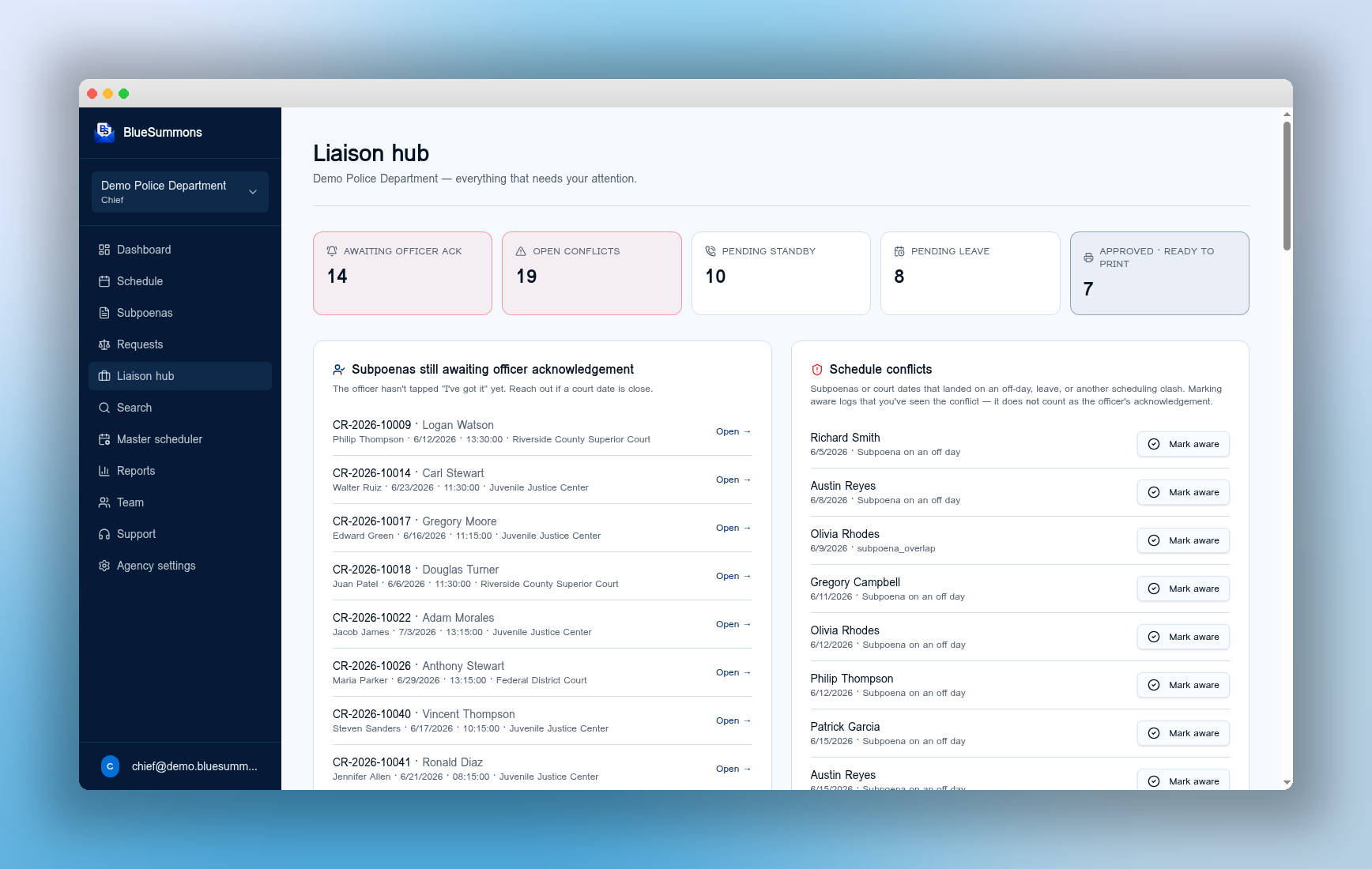
The phone calls and sticky notes, replaced with one hub.
- Calling around the squad room for officer status
- Hand-checking next week's subpoenas against the schedule
- Finding out about conflicts the morning of court
- Manually building a court-day list for every appearance
- Acknowledgement status is live for every officer
- Subpoenas land in the hub the moment they're entered
- Conflicts flag themselves days in advance
- Court-day report exports in one click
Every active subpoena for your department.
- One view of every officer's court obligations
- Acknowledgement status updates in real time
- Filter by court, day, or officer in one click
Built around the work you actually do.
We sat with court liaisons to design this. Every feature solves something you do on a Tuesday afternoon — not a vendor's idea of what the role should be.
Set a cutoff — say 7 days — for leave requests. Officers physically can't drop a leave request the night before a subpoena. No more last-minute scrambles.
Telephone standby requests follow the same minimum-time rules as leave. Officers submit early; you approve early; court isn't surprised.
The system cross-checks every subpoena against shifts, leave, training, and other court dates. The officer is notified the moment a conflict appears — not the day of.
See at a glance who has acknowledged a subpoena and who hasn't. Send a reminder with one tap — or escalate to their supervisor.
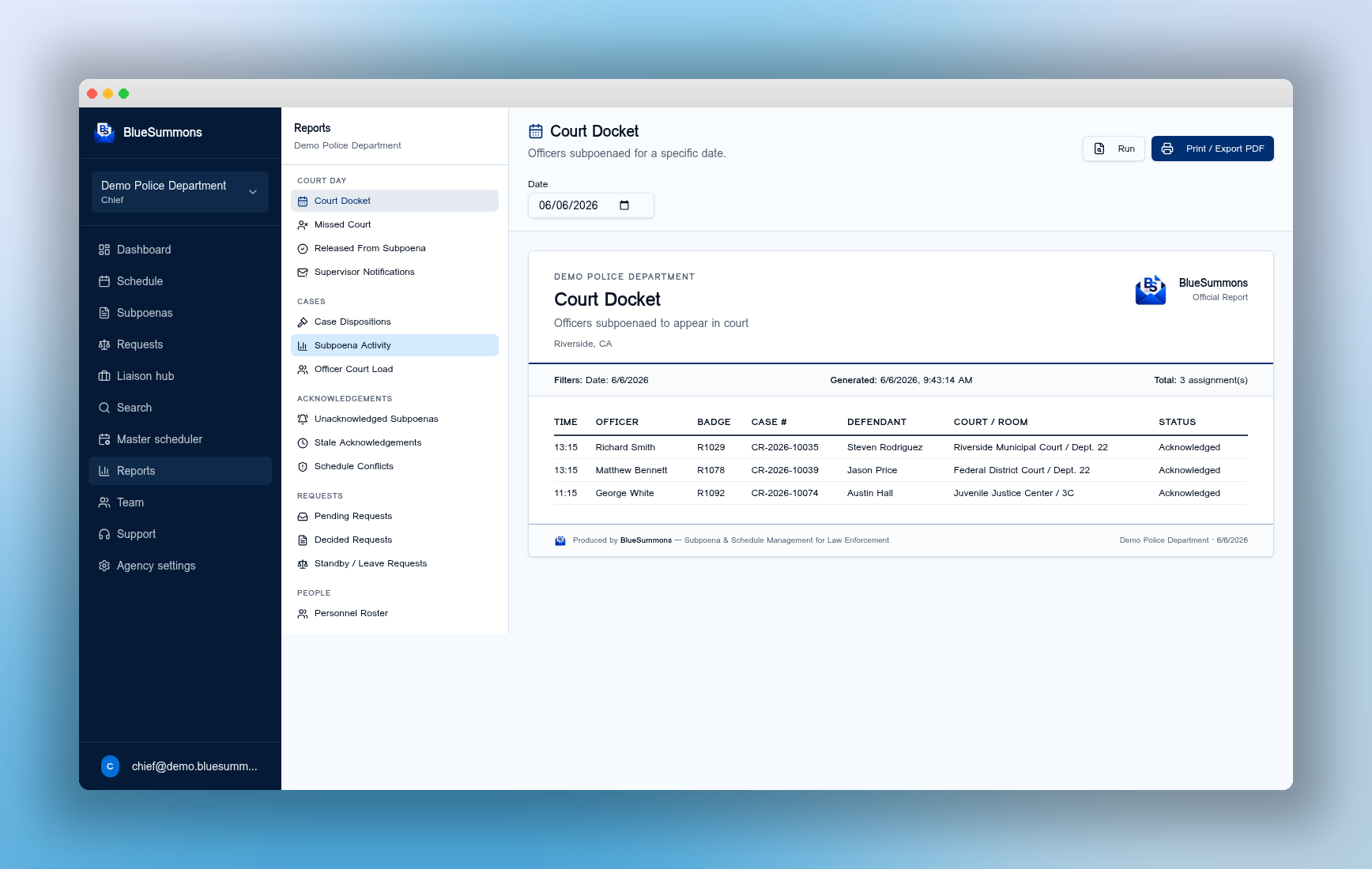
Pull a report that shows exactly who received a subpoena and is supposed to be in court today. Print it, share it, take it with you.
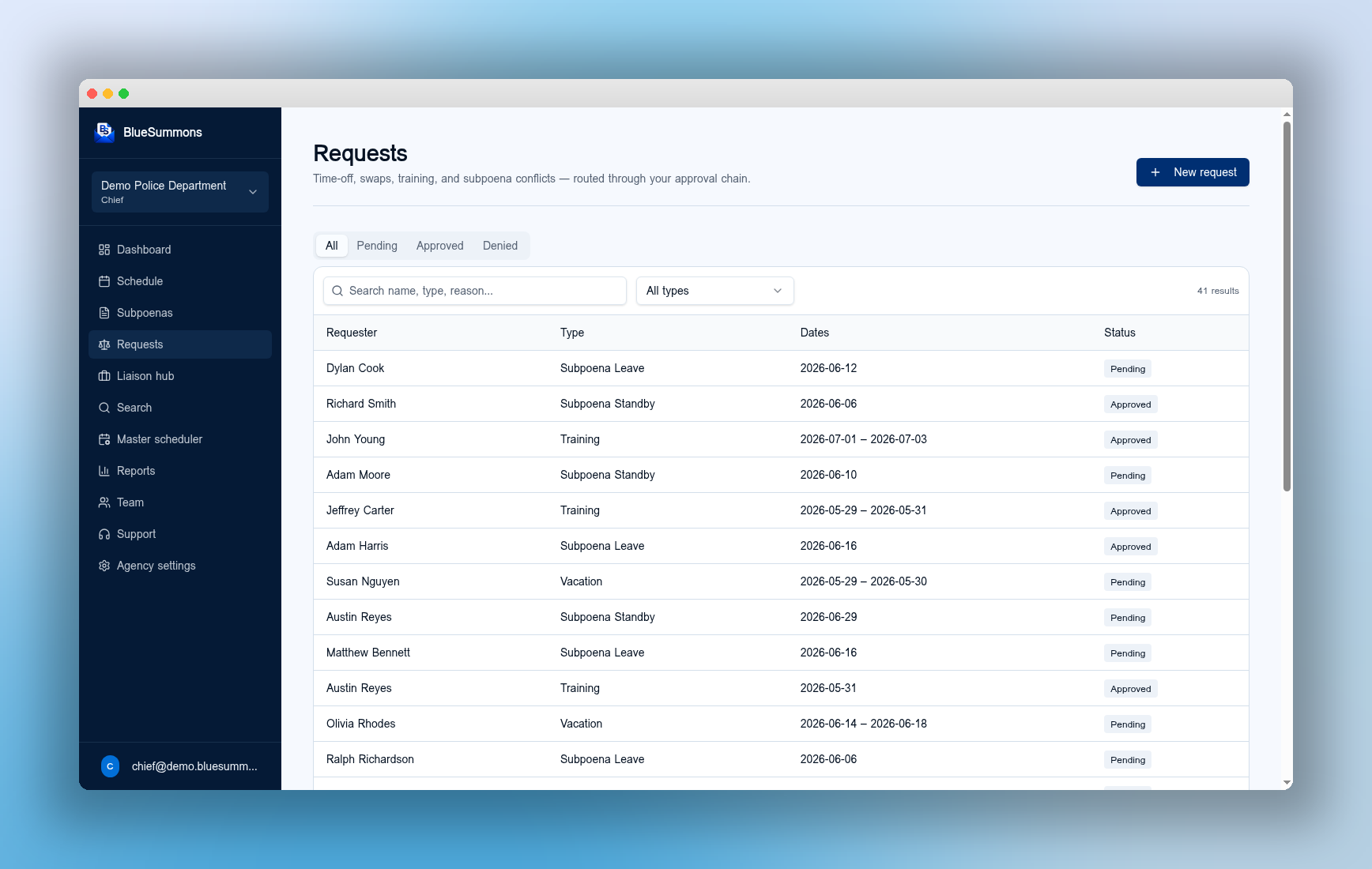
Look up a case number and see every officer subpoenaed, every continuance, every appearance — and who showed up versus who didn't.
Every action — assignment, acknowledgement, conflict, approval — is logged. If a court date is missed, you can show exactly what happened and when.
Print or PDF a court-day packet with everything you need: subpoenas, officers, acknowledgements, contact info. One click.
Know exactly who should be in court today.
- Today's docket, by court and by officer
- Acknowledgement and conflict status on every row
- One-click print or PDF export
“I'm the only liaison for my department. Before BlueSummons it was sticky notes and praying. Now I walk into court with the whole day on one screen — and conflicts are caught a week out.”